Quick Site How-To Videos
Watch short videos that walk you through common tasks and help you get the most from the Our Promise Growth Program.
Highlights how to navigate the site and leverage the tools available to support your business.
Learn how to access social‑ready content and use it to consistently drive traffic and engagement.
Covers landing page resources and how they can add to your site to driving engagement.
Learn how to use the downloadable web data sheets to set up and enhance your PDPs efficiently.
Content Hub is accessible through the site to provide access to marketing and creative assets.
Learn how to use collections to quickly find and download the marketing assets you use most.
Now that you have access to content hub, this video will walk you through how to navigate and engage with our asset library.
This video will walk you through how to select and. share assets.
Our Promise Growth Site Support Documents
Reference these tools for site features, benefits and navigation.
2026 New Site Enhancements
This additional sell sheet highlights NEW features and enhancements.
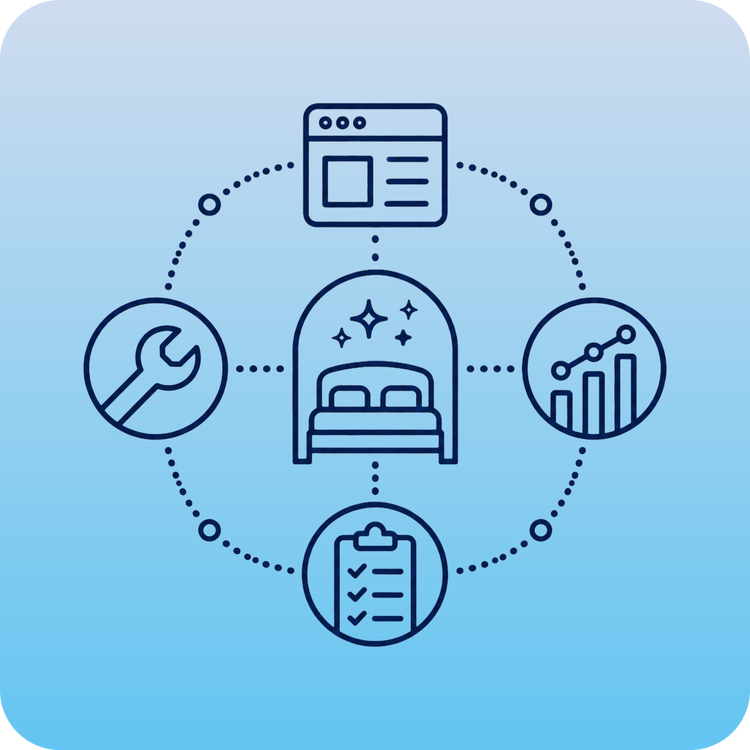
Our Promise Tools: How It All Works Together
A quick guide to choosing, combining, and using the tools available on the Our Promise site.
COMING SOON
Site Frequently Asked Questions
Find answers by topic or select a question below
Jump to a topic
General Overview | Site Features & Navigation | Digital Asset Library & Content Hub | Access & Login Support | Support & Troubleshootin
General Overview
The Our Promise Growth Program site is your central resource for marketing assets, sales tools, training resources, retail activation support, program updates, and access to the Digital Asset Library.
The site was created to make it easier for dealers and internal teams to find the resources they need in one place, support brand execution, and stay connected to current programs, campaigns, and product launches.
You can find advertising materials, digital media toolkits, product and brand resources, sales support tools, training information, ecommerce tools, retail activation resources, merchandising support, and links to the Digital Asset Library.
Content is organized by topic within the menu so you can quickly find the resources most relevant to your business needs.
The Our Promise Growth Program site brings resources together into one streamlined experience. Instead of searching across multiple platforms or folders, users can navigate by topic, access updated content, and connect to approved tools and resources from one central location.
The site also supports more consistent content updates, improved navigation, and controlled access to resources based on user needs.
Site Features & Navigation
The site includes advertising assets, digital media resources, training programs, retail activation tools, merchandising support, product launch resources, sales materials, and links to the Digital Asset Library.
Each page is organized around a specific type of support so users can more easily find what they need.
Use the main navigation menu to browse by topic, such as Advertising, Content & Creative, Digital Asset Library, Retail Activation, Merchandising, Training, and other resource areas.
If you are unsure where to start, think about the type of support you need:
- Marketing or campaign materials: Advertising or Content & Creative
- Product images, logos, or approved brand assets: Digital Asset Library
- Review syndication, web datas sheets, landing page set up, PDP support: Ecommerce Tools
- POP, demos, or in-store support: Retail Activation
- Training resources: Training
Content will be updated regularly as new campaigns, seasonal materials, product launches, training resources, and program updates become available.
Users are encouraged to check the site often for the most current resources. You will also receive a monthly email highlighting what's new and additional tips on how to best utilize these resources.
The Our Promise Growth Program site helps direct users to approved POP resources and ordering tools. POP materials are ordered through approved vendor links and tools available on theRetail Activation page.
If you are unsure which POP item to order or do not see what you need, please contact your sales manager or submit a support request to ourpromisesupport@sertasimmons.com.
Digital Asset Library & Content Hub
The Our Promise site and Content Hub require different access steps. If you can access the Our Promise site but cannot access Content Hub, review the setup instructions on the Digital Asset Library page first.
If you still need help, contact ourpromisesupport@sertasimmons.com and include your name, company, email address, and a brief description of the issue.
Use the search bar and available filters on the left hand side in Content Hub to narrow results by brand, product, campaign, asset type, or other available categories.
For best results, try searching by brand name, product name, campaign name, or the type of asset you need.
If the content says “internal use only,” please reach out to your sales manager for guidance.
If an asset appears to be missing, the link is broken, or you receive an error message, contact ourpromisesupport@sertasimmons.com. Please include the asset you were looking for, the page you were on, and a screenshot if available.
Access & Login Support
If you are having trouble logging in, first confirm that you are using the correct email address associated with your account.
If you still cannot access the site, contact ourpromisesupport@sertasimmons.com and include your name, company, email address, and a brief description of the issue.
Support & Troubleshooting
For technical issues, contact the support team at ourpromisesupport@sertasimmons.com.
To help the team resolve your issue quickly, please include:
- Your name
- Company or account name
- Email address used for access
- The page or tool you were using
- A short description of the issue
- A screenshot, if available
If a link is broken, a page is not loading, or you receive an error message, please contact ourpromisesupport@sertasimmons.com.
Include the page you were trying to access and a screenshot if possible so the support team can troubleshoot the issue.
If the content is marked “internal use only,” please reach out to your sales manager.
If content appears to be missing, unavailable, or showing an error message, contact ourpromisesupport@sertasimmons.com with the details of what you were trying to find.