Step 1:
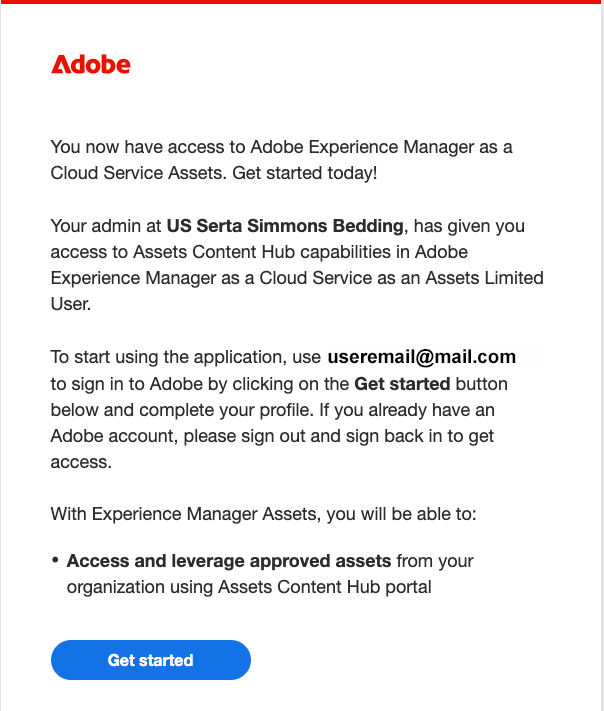
You will receive an email from message@adobe.com to add Content Hub access to your Adobe account – using the registered email you have used for your Our Promise Growth Program site access. Click “Get Started”.
Step 2:
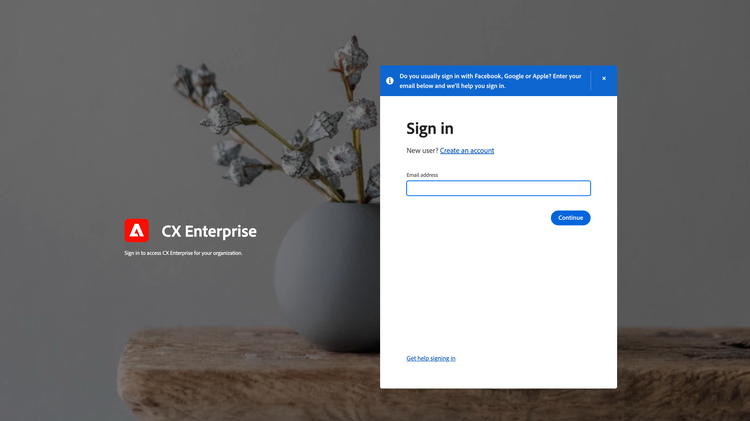
Browser window will open to the Adobe login screen. Enter your existing username and password.
Step 3:
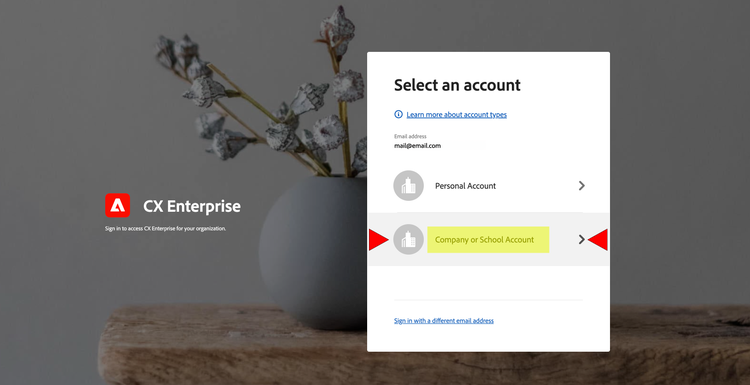
Select Company or School Account
Navigating your account:
Since you have an existing Adobe Account, you can use your existing login credentials to access your Adobe products and Content Hub, no need to create a separate account.
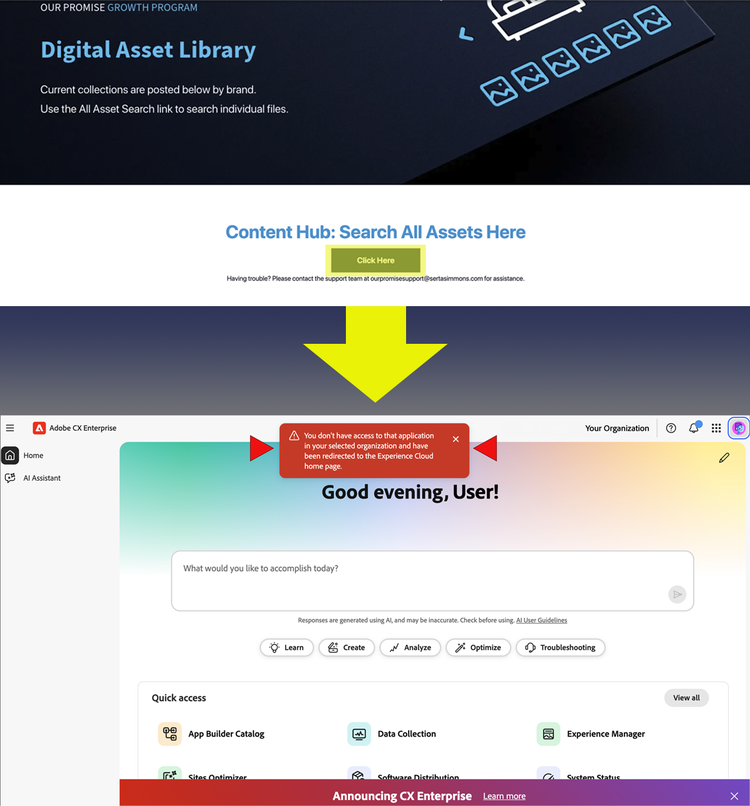
Because your Adobe account may already be active in another browser session, you could see a message that appears to be an error when accessing Content Hub through the Our Promise Growth Program site.
Follow the steps below to successfully access Content Hub:
If this occurs, log out of your Account and log back in, selecting “Company or School Account" on the “Select an account” login screen.
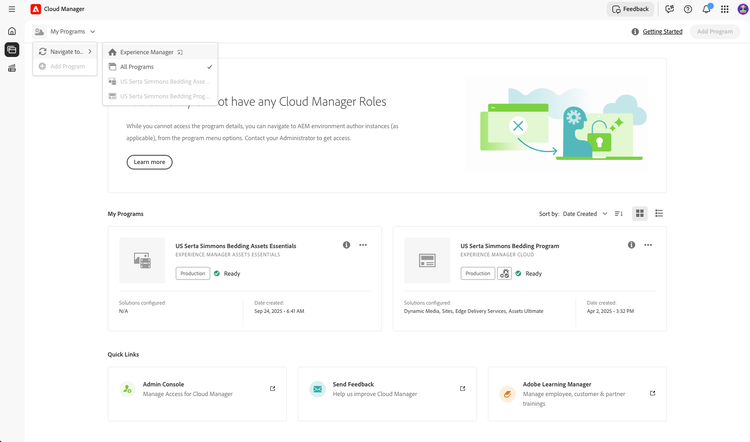
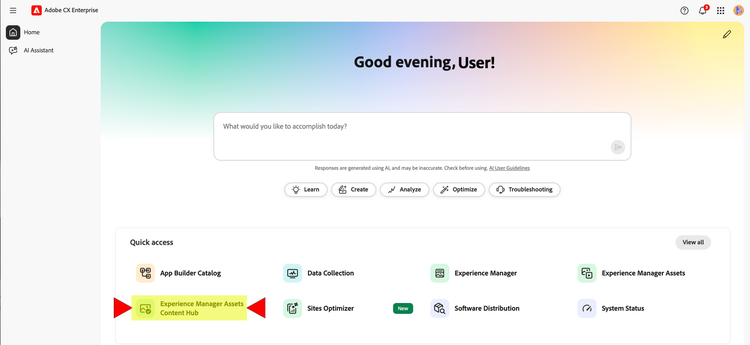
This will log you into the Adobe portal where you can click Experience Manager Assets Content Hub to access the full asset library.
If you are setup with Single Sign-on with your current Adobe Account, you may also encounter the “no access” notification. This is a simple toggle between organizations in the upper right corner.
Follow the actions below to successfully access Content Hub:
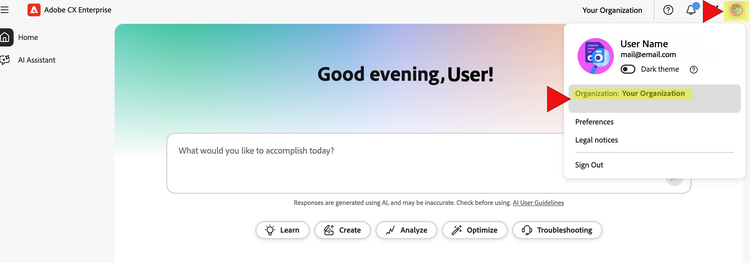
Click on your user icon in the upper right corner and select “Organization”
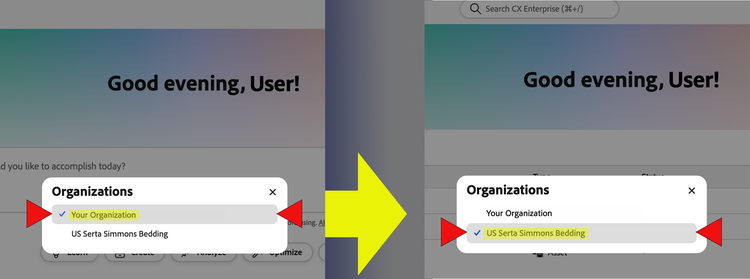
In the pop-up, select “US Serta Simmons Bedding”
You will now be logged into the Content Hub instance. Click Experience Manager Assets Content Hub to access the full asset library.
We are committed to continually improving our dealer relationships, and your feedback and suggestions are always welcome.